
Switch from spreadsheets
Excel alternative for construction budgets
Stop rebuilding formulas and tabs for every job. Create chapter-based budgets, reuse line items and export to BC3, PDF, Excel and CSV from one place.
Free Starter plan, no credit card required.
Quick answer
Why teams replace Excel
Excel works for ad-hoc calculations, but it breaks down when you need a custom price database, chapter structure, version control and industry exports such as BC3.
If you want a fuller decision guide before switching, read our comparison of construction estimating software vs spreadsheets.
If your main concern is finding something that fits a lean team, review our page on construction estimating software for small business.
If the real problem is tighter cost visibility and margin control, review construction cost software.
If you still need a starting point before switching, explore our construction budget templates and tools hub with templates, examples and BC3 resources.
Excel friction
- Broken formulas after a quick client change
- Tabs copied from old budgets with hidden mistakes
- No BC3 export for contractors or quantity surveyors
- Your prices scattered across multiple files
With arcley
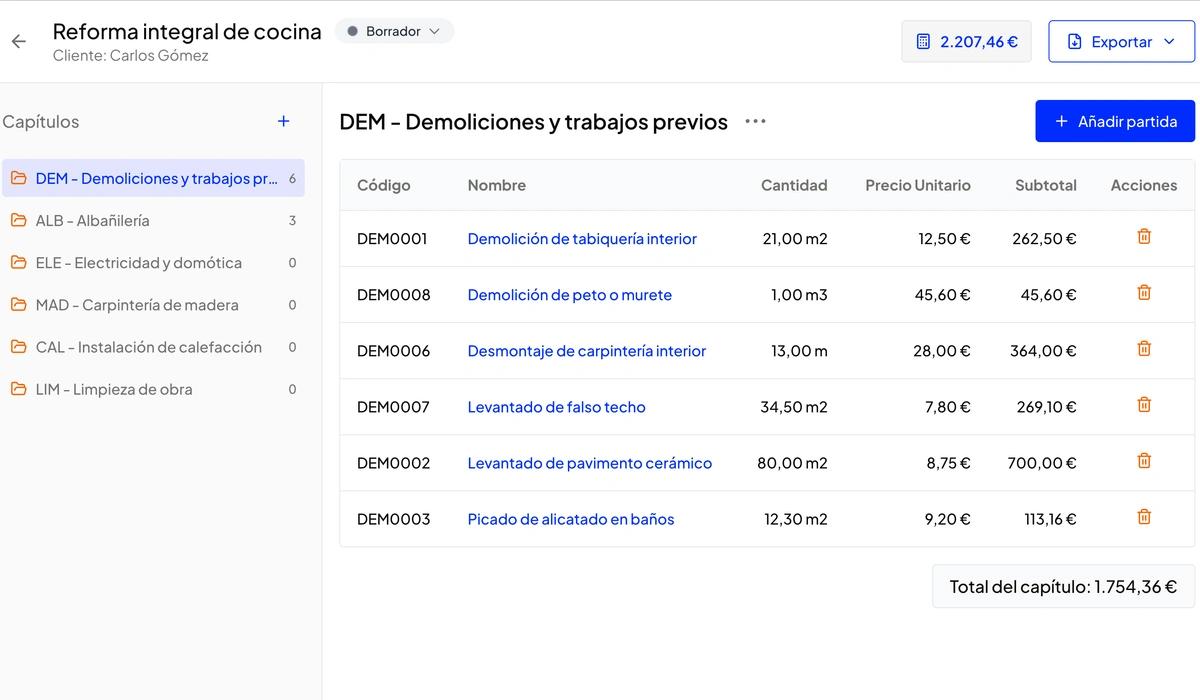
- Reusable line items and chapters
- Automatic totals, margins and tax handling
- BC3, PDF, Excel and CSV export from the same budget
- One custom price database for every quote
Comparison
Excel vs dedicated budget software
| Task | Excel | arcley |
|---|---|---|
| Reuse previous budgets | Copy files and clean old rows manually | Create from saved chapters and line items |
| Share with contractors | XLSX only, often reworked by the receiver | BC3, PDF, Excel and CSV from one budget |
| Control structure | Depends on your spreadsheet discipline | Chapter-based by default |
| Update prices | Across many sheets and templates | From one custom price database |
FAQ
Common questions before switching from Excel
Can I import my existing Excel budgets?
Direct Excel import is in development. Today you can recreate your usual line items and prices in arcley and save them to your price database so you don't repeat the work on the next budget.
Do I need to install anything to use arcley?
No. arcley runs in the browser, with no installation and no per-seat licence.
Is it free to get started?
Yes. The Starter plan is free, no credit card required, and includes chapter-based budgets, a price database and export to BC3, PDF, Excel and CSV.
Move faster than a spreadsheet allows
If you are still quoting from Excel, arcley gives you the structure, exports and reusable data that spreadsheets never had.